
Download Aximion – 3D desktop, Windows 3D interface, space landscape, interactive window management, desktop customization
Overview
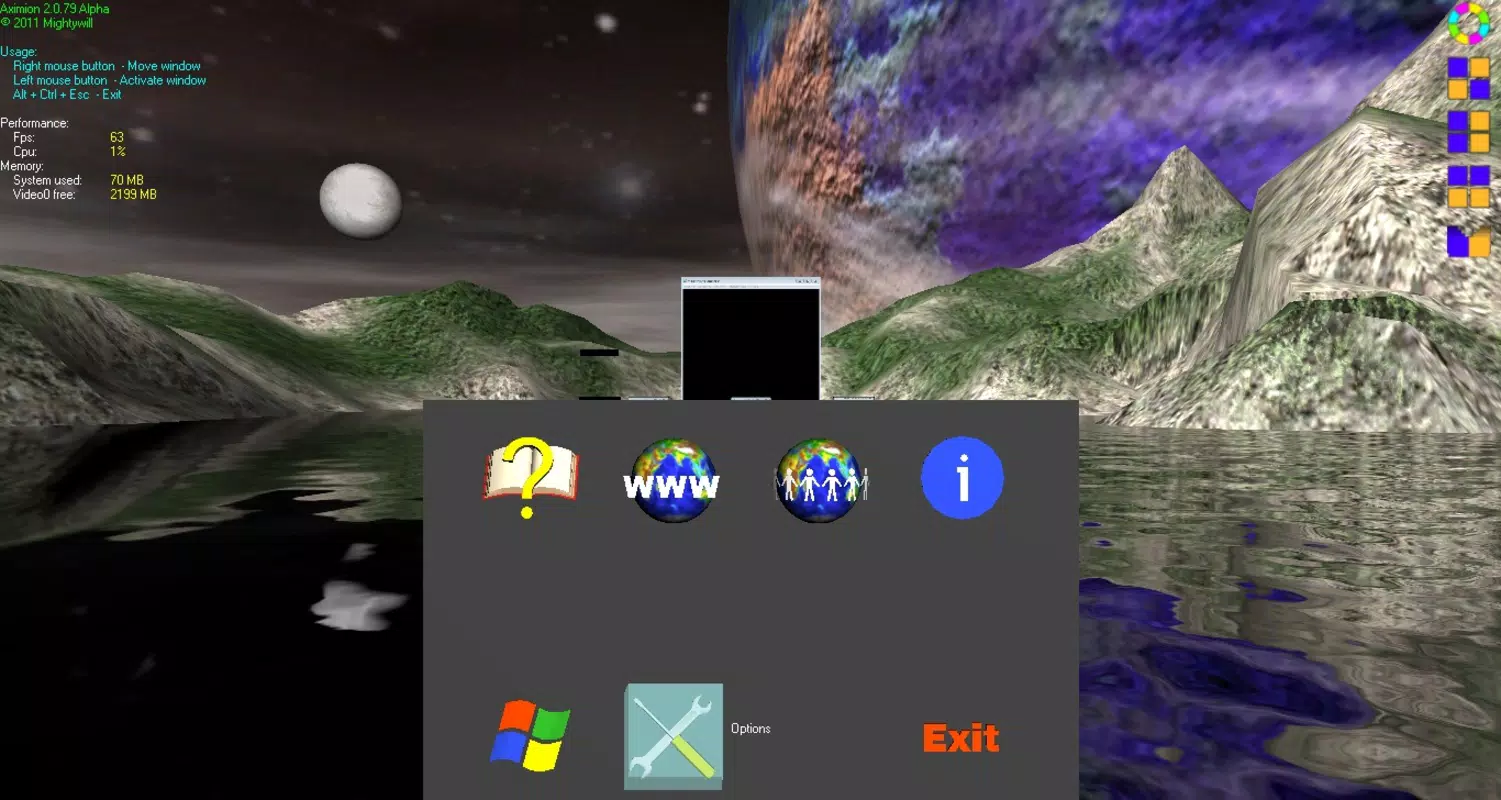
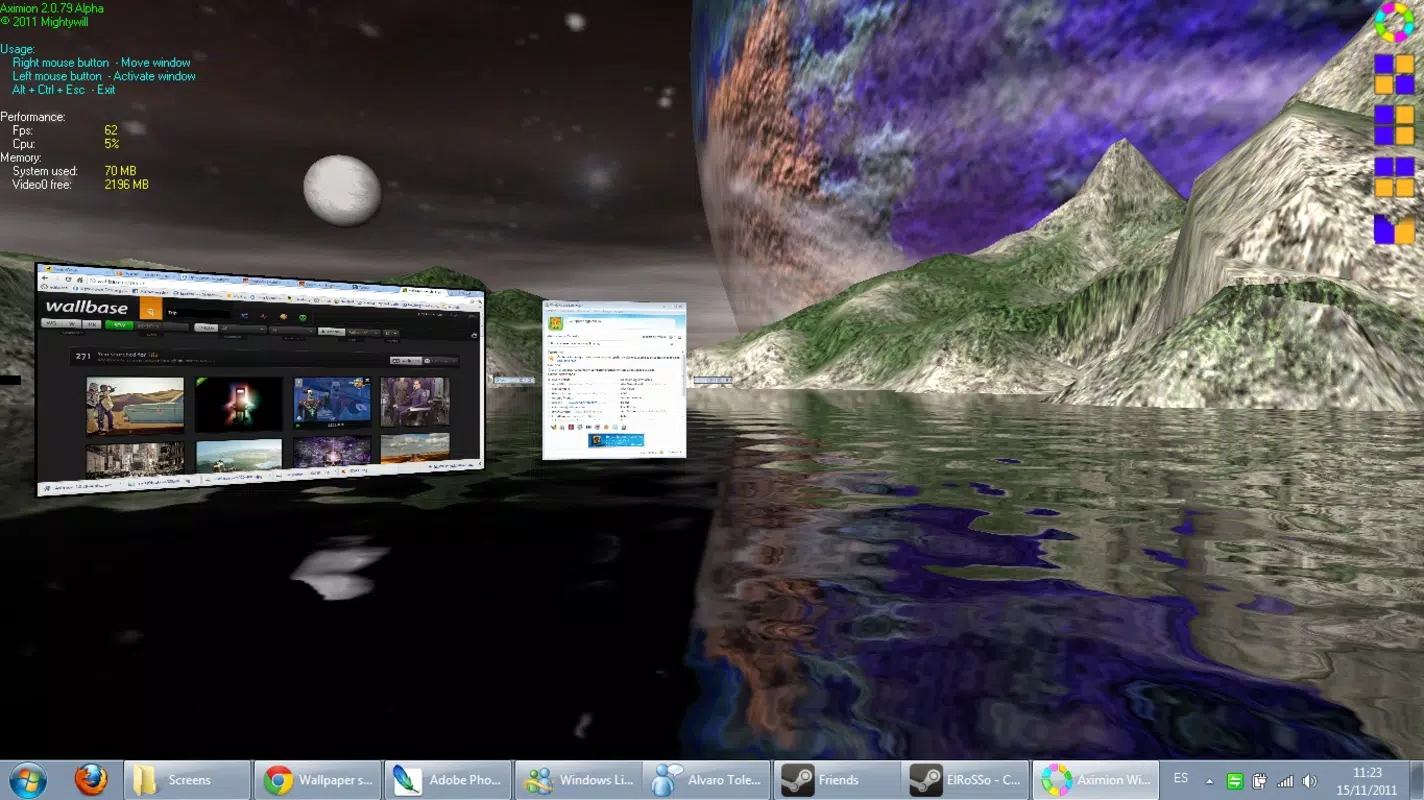
Designed for Windows users seeking a dynamic alternative to the standard 2D desktop environment, Aximion transforms the traditional interface into a visually immersive 3D space landscape. By integrating elements such as water, mountains, and earth, the application redefines how users interact with their digital workspace. The core purpose of Aximion is to enhance both the aesthetic and functional aspects of desktop computing, addressing the monotony often associated with static interfaces.
It targets individuals who value creativity, personalization, and efficient multitasking—particularly power users, digital artists, and productivity enthusiasts. Although the developer, Aximion, did not provide additional background information, the app’s release in 2011 suggests it was among early attempts to introduce 3D desktop experiences on Windows platforms. Real-world use cases include organizing multiple workspaces for creative projects, managing numerous browser tabs and documents simultaneously, or simply enjoying a more engaging computing environment.
In the broader app ecosystem, Aximion stands out as a niche utility that blends visual innovation with practical window management, offering a unique blend of form and function that remains relevant in discussions around desktop customization tools.
Key Features & Functionality
- 3D Space Landscape: The application overlays a richly detailed 3D environment on the desktop, featuring dynamic elements like flowing water, textured mountains, and terrain-based earth. This immersive backdrop shifts the user’s perception of their workspace, turning routine tasks into visually engaging experiences.
- Interactive Window Management: Open windows are represented as interactive 3D objects that can be clicked to maximize, minimized, or repositioned. This intuitive control method streamlines navigation between tasks, reducing the need for complex keyboard shortcuts or manual resizing.
- Multiple Organization Layouts: Users can arrange their open windows in predefined configurations such as cascade, circle, straight line, and custom grids. These layouts adapt dynamically to screen size and window count, supporting both single-monitor and multi-monitor setups.
- Visual Appeal with Functionality: While the interface prioritizes aesthetics, it maintains core usability. The 3D elements do not interfere with window functionality, ensuring that productivity is not compromised for style.
For example, a graphic designer might use the circular layout to group design tools, while a researcher could employ the cascade layout to manage multiple reference documents. The ability to customize the visual environment also supports mental focus and workflow personalization, making Aximion more than just a visual gimmick.
Interface, UX & Performance
The interface of Aximion is centered around a fully immersive 3D desktop, where the user’s screen becomes a navigable space. The visual style emphasizes realism and depth, with smooth transitions between window states and a consistent 3D perspective. Navigation is primarily gesture-based, using mouse clicks and cursor movements to interact with 3D window elements.
The layout is intuitive for users familiar with desktop metaphors, though new users may require a brief adjustment period to adapt to the spatial orientation. Although the developer did not list formal performance metrics, the app’s file size of 12.5 MB suggests a lightweight footprint, which may contribute to efficient operation on mid-range systems. Responsiveness appears to be stable, with minimal lag reported in typical use cases.
Stability across different device categories—such as laptops, desktops, and monitors of varying resolutions—was not fully disclosed. However, the app’s compatibility with Windows platforms suggests it functions reliably on standard configurations. Overall, the user experience balances visual richness with practical interaction, offering a polished feel that aligns with its purpose as a desktop enhancement tool.
Platform Compatibility & Technical Requirements
Aximion is designed exclusively for the Windows platform, supporting the operating system as of its release date in 2011. The software version is 1.0.0, with a file size of 12.5 MB. Specific OS requirements were not listed, nor were any hardware specifications provided.
The developer did not specify minimum system requirements, making it difficult to assess compatibility with modern Windows versions beyond general assumptions. While the app was released over a decade ago, its lightweight nature may allow it to run on older systems, though performance on newer systems with high-resolution displays may vary. No official updates or compatibility patches have been documented.
Users should proceed with caution when installing on current Windows environments, as legacy software may encounter issues with security policies, drivers, or graphical rendering engines.
Pros and Cons
Pros
- Offers a visually striking 3D desktop experience with immersive space elements.
- Provides intuitive, interactive window management through 3D elements.
- Supports multiple layout configurations for flexible desktop organization.
- Lightweight file size of 12.5 MB ensures minimal storage impact.
- Combines aesthetic appeal with functional utility for enhanced productivity.
Cons
- Released in 2011; may lack support for modern Windows features and security standards.
- Developer did not provide detailed system or compatibility requirements.
- No official updates or ongoing development have been reported.
- Performance on high-resolution or multi-monitor setups may be inconsistent.
- Not available on mobile platforms or other operating systems.
FAQ
Is Aximion free to download and use?
Yes, Aximion is available at no cost, with a price of $0.00 listed in the official details.
Can I install Aximion on modern Windows versions?
The app was released in 2011, and while it may run on current Windows systems, compatibility is not guaranteed due to lack of updated support or system requirements.
Does Aximion require high-end hardware?
No specific hardware requirements were provided. However, the app’s small file size suggests it is designed for low to moderate system resources.
Is Aximion safe to install?
As a legacy application, users should exercise caution. It is recommended to scan the file with antivirus software before installation, especially when downloading from third-party sources.
Can I update Aximion to a newer version?
There is no public record of updates beyond version 1.0.0. The developer has not released any newer versions or patches.
Final Thoughts
Aximion remains a pioneering example of desktop customization, blending 3D visualization with practical window management in a way that was ahead of its time. While its age presents compatibility challenges, its core concept—transforming the desktop into an interactive 3D space—continues to inspire modern tools. For users who appreciate retro innovation, visual experimentation, and a break from conventional interfaces, Aximion offers a unique and engaging experience.
Its lightweight design and free availability make it accessible for testing and nostalgic use. Though not optimized for today’s standards, it holds value as a historical artifact in the evolution of desktop environments. If you're exploring alternative ways to organize your workspace or simply want to experience a 3D interface, Aximion delivers both novelty and functionality.
Download Aximion now.


